 Knowledge Base
Games
The Games page provides a real-time activity feed of your venue, showing active courts, current players, and live reservation status.
The Games page in Thril is your live activity feed. A sleek, real-time view into what’s happening at your venue right now.
👀 What You See at a Glance
The Games page is organized to show only the present moment of your venue. It highlights:
- Courts in use The number of active courts with ongoing games.
- Customers now A headcount of customers currently playing based on reservation data.
- Sport filters Filter the view by sport (e.g., padel, tennis, squash, etc.) with just one click at the top. Use the “All” filter to reset your view.
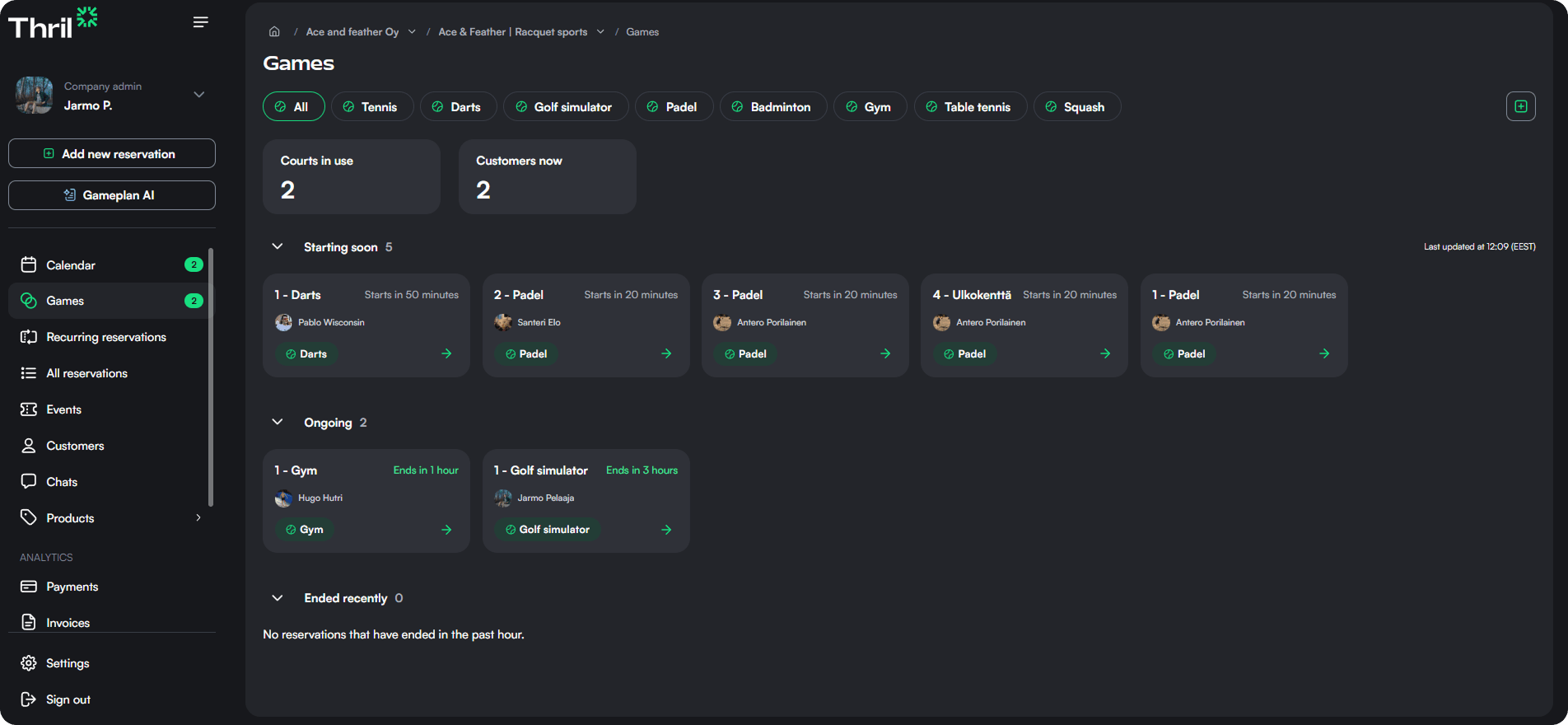
The system refreshes automatically to reflect real-time status across all facilities.
🕰️ Reservation Categories
The core of the Games view is divided into three simple, scrollable sections:
➡️ Starting Soon
See reservations that are about to begin within the next hour. Great for preparing courts or alerting staff.
🔄 Ongoing
Displays matches, bookings, or workouts that are currently active. Helps you stay on top of what's in use and where your customers are.
✅ Ended Recently
Shows bookings that finished in the last hour. Useful for cleaning schedules, feedback prompts, or identifying recently available courts.
Each reservation in these lists includes basic details such as sport and start time, enough to keep you informed without crowding the interface.
➕ Adding Reservations on the Fly
Need to add a last-minute reservation? Just tap the green “+” button at the top right.
It opens the same reservation form as the “Add new reservation” button on the sidebar, letting you assign courts, select customers, and configure pricing in seconds.
Events
The Events section lets admins create, manage, and track both recurring and one-time events, including tournaments and community gatherings.
Integrations
Integrations connect Thril with third-party services, enabling features like employee benefit payments and facility automation for your venue.