 Knowledge Base
Pricing
Set up and manage flexible pricing rules for your venue, including seasonal offers, member rates, and time-based pricing strategies.
Setting up clear and flexible pricing is essential to running a well-optimized venue on Thril. Whether you want to offer early bird rates, weekend pricing, or seasonal offers, our pricing engine gives you the tools to tailor your court rates exactly how you want.
This guide walks you through how to manage, create, and update pricing rules in your venue settings.
🧭 Where to Find Pricing Settings
To begin, go to your Thril admin dashboard and navigate to:
Settings → Venue settings → Manage pricing
Here, you’ll see a list of all existing pricing rules, including:
- The name of the rule
- Date and time ranges
- Active courts
- Number of prices defined
- Created and updated timestamps
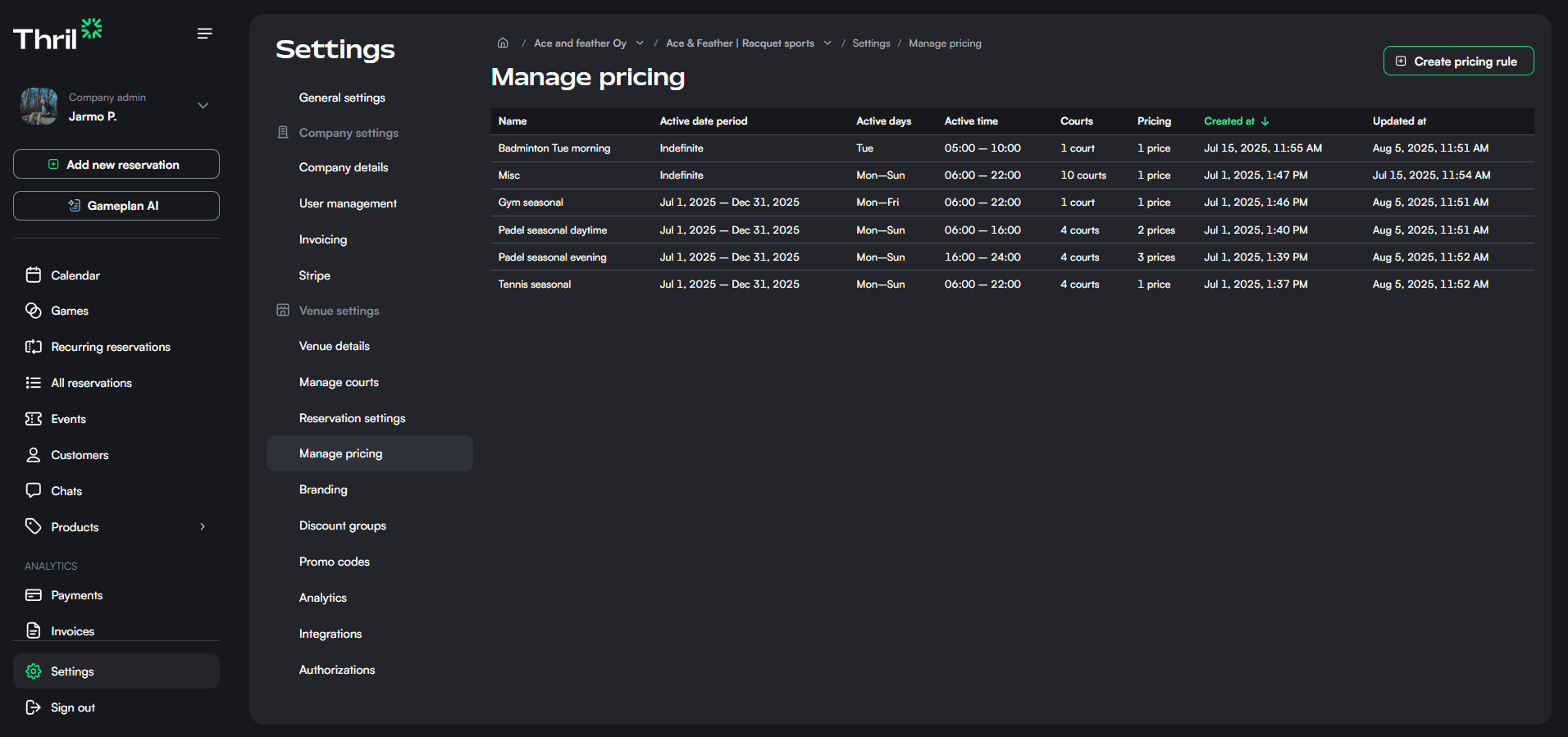
Use this page to view, edit and delete your existing rules or create a new one.
➕ Creating a New Pricing Rule
Click the "Create pricing rule" button to get started.
You’ll be asked to fill in the following fields:
- Pricing rule name: A private label to help you identify the rule (e.g., “Summer Mornings”).
- Applicable courts: Select one or more courts this pricing rule applies to.
- Days of week: Choose the days for which this pricing applies. Weekdays, weekends, or specific days.
- Date range (optional): Set the start and end dates for the rule. Leave empty for ongoing rules.
- Time range: Define the hours during which this pricing is active.
- Pricing: Add one or more durations and their corresponding prices (e.g., 60 min = €10).
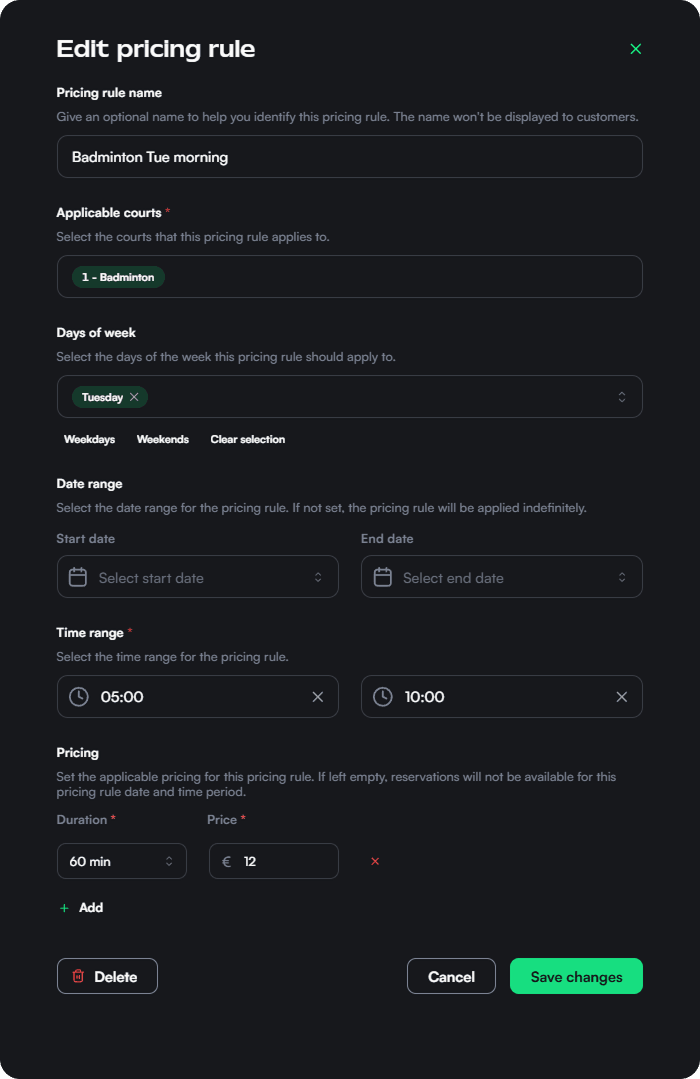
Once done, click Create to save.
✏️ Editing an Existing Rule
You can update a rule at any time:
- Select the rule from the list
- Modify any field: name, courts, times, or price
- Click Save changes
For example, you could set a discounted morning slot (e.g., €10 for 60 minutes on Tuesdays between 05:00–10:00) for a single court.
🧩 Flexible Use Cases
Pricing rules are stackable and independent, so you can create unique pricing combinations like:
- Weekday vs. weekend pricing
- Prime time vs. off-peak hours
- Seasonal packages (e.g., winter discounts)
- Member-only pricing (when combined with promo codes or discount groups)
✅ Best Practices
- Use descriptive names to keep track of your rules internally
- Don’t forget to update or deactivate seasonal rules when no longer needed
- Apply multiple prices to the same time period if you want to offer multiple session lengths
🛠️ Need Help?
If your pricing isn’t showing up correctly or you want to bulk import settings, reach out to your Thril onboarding representative or contact support at support@thril.fi
Let your pricing work for your business, not the other way around.
Payments and invoices
Manage all customer payments and invoice generation in one place, with real-time tracking, refunds, and custom invoice creation for your venue.
Promo codes
Promo codes are customizable discounts that help attract new players, reward loyalty, and run marketing campaigns directly in Thril.